VPN – Tekrati https://www.tekrati.com Experts' Views on Modern Business Tue, 27 Jun 2023 13:39:24 +0000 en-US hourly 1 https://wordpress.org/?v=6.9.4 https://www.tekrati.com/wp-content/uploads/2022/04/cropped-Tekrati-Guest-Posts-32x32.jpeg VPN – Tekrati https://www.tekrati.com 32 32 What Is VPN And Does It Change Your IP Address? https://www.tekrati.com/what-is-vpn-and-does-it-change-your-ip-address/ Tue, 27 Jun 2023 13:29:38 +0000 https://www.tekrati.com/?p=31533 What Is VPN And Does It Change Your IP Address?

What Is VPN And Does It Change Your IP Address?

The internet infrastructure is a mysterious maze with plenty of good and bad in equal measures. From individuals to corporations, everyone seems worried about personal data. That is despite the existence of data encryption services such as VPN. Data security is a perpetual concern for internet users, and that explains why most people are using [...]

The post What Is VPN And Does It Change Your IP Address? first appeared on Tekrati and is written by Gia Patterson

]]>
What Is VPN And Does It Change Your IP Address?

What Is VPN And Does It Change Your IP Address?

The internet infrastructure is a mysterious maze with plenty of good and bad in equal measures. From individuals to corporations, everyone seems worried about personal data. That is despite the existence of data encryption services such as VPN.

Data security is a perpetual concern for internet users, and that explains why most people are using VPNs to manage and control user access to that data. It is a trusted internet security service that will scramble your Internet Protocol (IP) address to keep away attackers.

This post aims to bust some myths about how VPN works, including whether it can encrypt your IP, and why you should use one.

What is VPN?

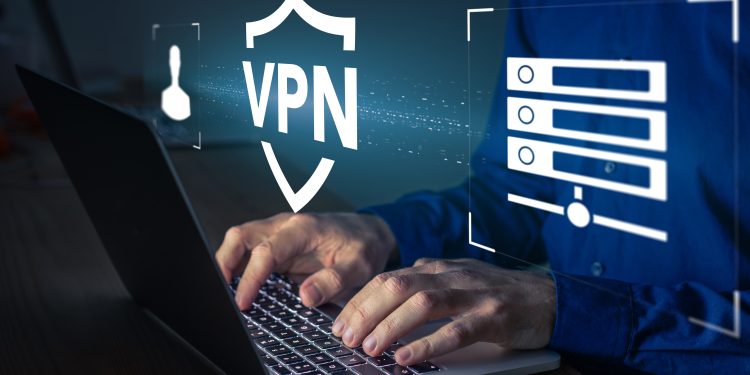
A VPN (Virtual Private Network) is an internet security service that routes your internet service through a remote secure server run by a VPN provider. As such, it allows users to access the internet as if they are connected to a private network.

Every device you use to access the internet, say, a laptop or smartphone, has a unique address called the Internet Protocol (IP). The IP address can allow other users to access data, including location. However, a VPN can change how you interact with apps or websites by keeping certain resources hidden.

How Does VPN Change Your Location?

Every time you use the internet, your IP address can reveal your physical location, as well as your internet service provider (ISP). The geolocation data is more significant because advertising trackers can bother you especially when accessing the internet on unsecured networks. However, using a VPN will mask your IP address, protect your search history, and prevent data tracking.

But how does it work to secure data and manage access? And do VPN change your IP address? In essence, a VPN does not change the real IP address your ISP assigned you. Instead, your VPN provider will use a temporary IP address to mask your real IP.

With a VPN, therefore, anyone that attempts to monitor your internet traffic will access the IP address and location of your provider, rather than your actual physical location. So using a VPN will essentially route your internet traffic through a secure, private tunnel between the internet infrastructure and your device.

This allows you to protect your identity,  browse anonymously, bypass censorship by certain sites, or access geo-restricted content.

How VPNs Scramble Your IP Address to Secure Data

As earlier stated, a VPN masks your IP address and routes your data through a new encrypted connection between your device and the server of the VPN provider.

This offers you a certain level of privacy because all your online activities will be linked to the IP of the provider’s VPN, as opposed to your real IP address. So, how do VPN change your IP addresses? Once you have identified a reputable VPN provider to go with, here is how the process should work:

  • Install and launch the VPN app on your device (laptop, smartphone, etc).
  • Select the server location of your choice from the list provided.
  • The VPN provider will establish a secure connection to the server of your choice.
  • All your internet traffic will be encrypted and routed through that server (which can be in a different country or region)

What a VPN Does to Your IP Addresses

Your IP address can be used to identify who your internet service provider is as well as your location. However, if anybody tries to monitor your IP address using your ISP,  they can use specific IP address blocks to pinpoint what city you are in.

By contrast, if you browse the web via a VPN, the provider will create a different IP for you. That means that all your internet traffic and browsing data won’t go directly to the site or service you are visiting. Instead, it goes via the VPN server, which connects on your behalf to give you a sense of privacy or anonymity.

Besides, most VPNs have a no-logs policy and won’t store any user-related data, including your actual IP address.

Why Should I Use a VPN?

Many people have access to and still use public Wi-Fi at airports, cafes, movie theaters, and many other places. But you will be surprised that an estimated 40% of public Wi-Fi hotspots are unsafe. That means not all people can resist the urge to use unsecured networks. So, when should you use a secured VPN? 

Generally speaking, the “When” and “Why” to use a VPN really depends on the type of online activity you want to do. For instance, if you are anywhere near the aforementioned locations and you want to engage in stuff like online banking or shopping, using a VPN can be a great idea. At the most basic level, most people will use a VPN for privacy reasons, including things like:

  • Stopping targeted ads and advertisers.
  • Protecting search history.
  • Preventing website tracking.
  • Protecting your identity from trackers.

Conclusion

VPNs are internet security services that keep your data safe when you browse the internet. To do so, a VPN will mask the user’s IP address and reroute their internet traffic through a secure connection called a VPN server. This way, it will not only secure your location, but anybody tracking your online activity won’t access any sensitive data.

The post What Is VPN And Does It Change Your IP Address? first appeared on Tekrati and is written by Gia Patterson

]]>
Brave Upgrades iOS Browser With New VPN https://www.tekrati.com/brave-upgrades-ios-browser-with-new-vpn/ https://www.tekrati.com/brave-upgrades-ios-browser-with-new-vpn/#respond Mon, 03 Aug 2020 05:48:40 +0000 https://www.tekrati.com/?p=859 Brave Upgrades iOS Browser With New VPN

Brave Upgrades iOS Browser With New VPN

Surfing the web on your iOS devices would be better without ads and better privacy. So, it’s a good thing that Brave is now releasing an iOS browser with a firewall and VPN. Brave Software has teamed up with Guardian to create its own Firewall + VPN that affords mobile users privacy and security. What [...]

The post Brave Upgrades iOS Browser With New VPN first appeared on Tekrati and is written by Sam Arnold

]]>

Brave Upgrades iOS Browser With New VPN

Brave Upgrades iOS Browser With New VPN

Surfing the web on your iOS devices would be better without ads and better privacy. So, it’s a good thing that Brave is now releasing an iOS browser with a firewall and VPN. Brave Software has teamed up with Guardian to create its own Firewall + VPN that affords mobile users privacy and security.

What Is Brave Firewall + VPN?

Gizmodo reports that the app should give users “a safer, more private browsing experience.” With the app, you can even browse the internet faster than other mobile browsers. In the report, the app can go “three to six times faster.” The Brave Firewall + VPN gets those speeds through its “blockchain-based digital advertising platform,” that blocks nearly all ads and trackers. You can use it for your  mobile browser, and you can also use it for other apps on your iPhone or iPad.


How Does the Brave Firewall + VPN Work?

With its Firewall + VPN, your mobile traffic goes to Guardian’s servers through the encrypted VPN. Once there, the servers screen your apps for ads that secretly track your data. Then, they block the tracking. You’d still be able to use the apps you want or browse the sites you want.  

Will Brave Firewall + VPN Still Share My Data with Brave and Guardian?

Better yet, Brave Software and Guardian claim that their app does not store user information. The app allows users to connect to the VPN without giving up user data to the app and Guardian. Both companies will not know anything about you.

However, this app is only available for iOS devices for now. You also have to pay $10 a month to use it, after a 7-day free trial.

The post Brave Upgrades iOS Browser With New VPN first appeared on Tekrati and is written by Sam Arnold

]]>
https://www.tekrati.com/brave-upgrades-ios-browser-with-new-vpn/feed/ 0
Mozilla Launches $5 VPN Per Month Subscription https://www.tekrati.com/mozilla-launches-5-vpn-per-month-subscription/ https://www.tekrati.com/mozilla-launches-5-vpn-per-month-subscription/#respond Thu, 16 Jul 2020 06:52:20 +0000 https://www.tekrati.com/?p=631 Mozilla Launches $5 VPN Per Month Subscription

Mozilla Launches $5 VPN Per Month Subscription

Do you value your web privacy? Then you must have considered buying a VPN. Lots of social media apps and websites track and store your data. Most of them also build a profile of your surfing habits. While you look for the right VPN, you might be pleased to know that Mozilla is releasing one. [...]

The post Mozilla Launches $5 VPN Per Month Subscription first appeared on Tekrati and is written by Irene Hawkins

]]>
Mozilla Launches $5 VPN Per Month Subscription

Mozilla Launches $5 VPN Per Month Subscription

Do you value your web privacy? Then you must have considered buying a VPN. Lots of social media apps and websites track and store your data. Most of them also build a profile of your surfing habits. While you look for the right VPN, you might be pleased to know that Mozilla is releasing one. The developers of Firefox have announced the Mozilla VPN, which costs $5.

How Do I Get the Mozilla VPN?

Gizmodo reports that Mozilla is now ready to roll out the Mozilla VPN. After beta testing, you can go to the Mozilla site to join the waitlist. As of now, though, only users from the US, Canada, the UK, Singapore, Malaysia, and New Zealand can get the VPN. Mozilla promises to make the VPN available to other countries by next year.


What Does the Mozilla VPN Do?

At just $5 per month, the Mozilla VPN can let you access internet content outside of your region. Want to access region-locked content, like TV shows? Get a VPN and watch them to your heart’s content. Mozilla’s VPN allows you to use it on five devices, with only a single account. Usual VPNs slow down your internet, but Mozilla doesn’t. Mozilla also says their VPN should be user-friendly. If you’re a beginner to VPNs, you might consider Mozilla.

How Do I Know If I Can Trust the Mozilla VPN?

While there are cheap VPNs on the market, they profit off you by trading your data. They build your profile from your VPN habits. After that, they sell your complete data to advertisers.

Mozilla promises not to build such a profile. Wired also reports Mozilla has undergone a third-party audit of the VPN. We shall see what the results show.

The post Mozilla Launches $5 VPN Per Month Subscription first appeared on Tekrati and is written by Irene Hawkins

]]>
https://www.tekrati.com/mozilla-launches-5-vpn-per-month-subscription/feed/ 0