
How To Change The Emojis On Snapchat?
How to change the emojis on Snapchat? You can personalize your Snapchat emojis by following these steps. Swipe the gear icon in the upper right corner of Snapchat to obtain your settings. Choose an emoji to represent the category you’d like to change. Next, tap “Manage” and then “Friend Emojis,” and you’re done. Snapchat’s friend [...]
The post How To Change The Emojis On Snapchat? first appeared on Tekrati and is written by Jarvis Elderman
]]>How To Change The Emojis On Snapchat?
How to change the emojis on Snapchat?
You can personalize your Snapchat emojis by following these steps. Swipe the gear icon in the upper right corner of Snapchat to obtain your settings. Choose an emoji to represent the category you’d like to change. Next, tap “Manage” and then “Friend Emojis,” and you’re done.
Snapchat’s friend emojis and streaks are an excellent way to distinguish between your friends. The question is whether it’s possible to alter their track record and buddy emojis and how to do that.
There is no difficulty in the procedure. You can create specially made symbols for every Snapchat relationship in a matter of minutes, and the process is simple.
The blaze icon next to the names of some of your Snapchat acquaintances may be the first thing you notice about the platform. That means they’ve been on such a Snapstreak and are trying to take their Snapchat game more seriously.
Streaking someone on Snapchat means that you’ve been exchanging daily Snapchat messages for an extended period. But what if you don’t like the fire emoji and want to use something else to represent your streaks?
 To do that, there’s a method. However, if you’re able to maintain a certain number of consecutive days in a streak, you’ll receive a different emoji.
You can change your Snapchat emojis on Android and iPhones by following these instructions.
How To Change The Emojis On Snapchat For Friends in 2023
Friend Emojis On Android: Adding Or Removing
You can note your Snapchat friends by using the Friend Emojis. You can change the default emojis for your Snapchat friends to any other emoji you like. To do so here is how:
To get to your profile page, access Snapchat on your tablet or phone, as well as swipe the Profile photo icon on the upper left side of the screen.
You can access the settings menu by tapping the gear icon in the upper right-hand corner of your Snapchat profile.
Tap the “Customize Emojis” option in your settings.
There are a variety of categories for you to choose from when you visit the Customize Emojis page. Select the category from which you wish to change. I went with the “Besties” category for this tutorial.
How to change the emojis on Snapchat? You’ll see a selection of emojis here. Swipe the side pointer just at the top of the page after selecting the symbol you want to use.
You’ve successfully updated your Snapchat Friend Emoji on Android.
You can learn to change your Android Friend Emoji by watching this video.
Change Emojis For Friends On iPhone X
With a few exceptions, customizing your iPhone’s emojis is nearly identical to doing so on your Android device. What you need to know:
 To access your Snapchat profile, allow access to Wechat and swipe the Profile photo icon in the upper left corner of the screen.
Go to the top right corner of your screen and tap the gear icon.
After logging in, tap “Manage” in the bottom right of your settings page.
You can access the various Friend Emoji categories by tapping the “Manage” button and selecting Buddy Emojis from the list of options that appears.
Select the Friend Emoji from the drop-down menu. “Super BFFs” was the theme for this tutorial.
You’ll now see a selection of emojis to select from. Then, swipe the side pointer just at the top left side of the screen to return to the previous page.
How to change the emojis on Snapchat? Using your iPhone’s Snapchat app, you’ve now wholly transformed your Friend Emoji.
How To Change The Emojis On Snapchat In iPhone Is Shown In This Video Tutorial:
How To Change Emojis In Your Streak
Changing Emojis In Android’s Snapstreak (Video)
Changing Snapchat Symbols, like Friend Emojis, is a simple process. You can change the emoji used to symbolize Snapstreak from the default fire emoji to any other emoji.
Snapstreak Emojis can be changed by following these steps.
Take a look at the section on Modifying Buddy Emojis on Android and follow the instructions there.
The Snapstreak option is located at the bottom of the “Customize Emojis” section, so tap it.
After selecting the emoji users would like to represent your Snapstreak, simply tap the back button to go back to the previous screen. I used the flower petal emoji for this tutorial.
The Snapstreak Emoji has now been changed.
Our video tutorial shows you how to change the emojis in your Snapstreak on Android.
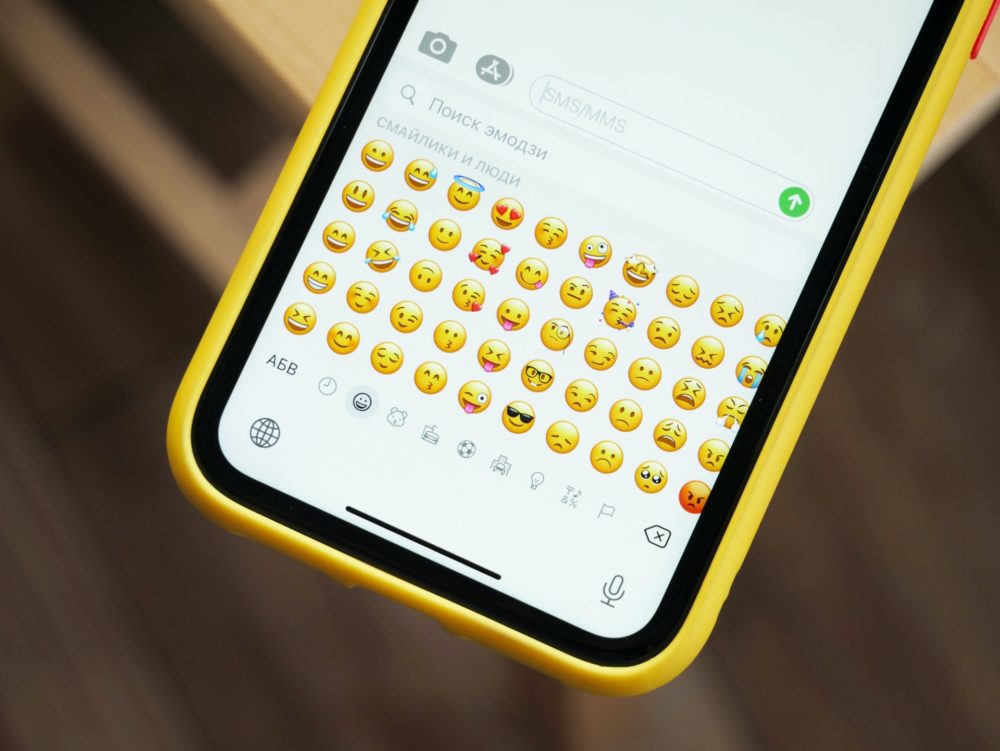 Emojis For Your iPhone’s Snapstreak
How to change the emojis on Snapchat? You can change the emojis on your iPhone’s Snapchat streaks by following these instructions:
Tap the “Snapstreak” option after you’ve selected “Friend Emojis” from the drop-down menu.
Make your selection from a list of emojis, and afterwards, swipe the side button in the upper left side of the screen to return to the Snapstreaks screen.
Congratulations! You’ve successfully updated your Snapstreak emoji!
Snapchat Emojis: What Do They Mean?
What makes Snapchat emojis different? When it comes to using Snapchat’s emojis, it’s important to remember that they aren’t just for texting.
In the app, you and your friends’ activities are tracked using emojis. They can either be set manually or automatically, depending on your preference. Among the factors considered by Snapchat when deciding on an emoji for your group conversation are the number of snaps sent and the frequency with which you respond to one another’s messages.
Look at your allocated Snapchat emoji and see if you can learn anything. After signing in, go to the Friends area of the Snapchat profile and select an emoji to see.
Faqs- How To Change The Emojis On Snapchat
 Is It Possible To Change The Emojis Of Your Snapchat Friends?
Snapchat does not update your friends’ emojis when you change theirs. When you change your Snapchat’s friend emoji, it appears on your screen. However, users and their friends use the same emojis on your individual Snapchat accounts but unless users like to have matching emojis.
Is It Possible To Change My Snapchat Emojis?
Snapchat lets you customize your streak Emojis. The Snapstreak option is located in your settings’ “Customize Emojis” section. You can select a symbol from the list by tapping on it. You’ve now successfully modified your Snapchat streak Emoji.
It’s Time To Wrap Things Up: Snapchat Emoji Change Tutorial.
Was This Tutorial Helpful?
When it comes to changing Snapchat emojis, the answer is straightforward. Snapchat’s default emojis are adorable, but they may not be appropriate for all relationships.
That’s why it’s so great to be able to change your friends and streak emojis. You can use a precise emoji to describe your Snapchat friends’ relationships. No matter how attractive, flirty, or playful your relationship is, there is an emoji for it.
The post How To Change The Emojis On Snapchat? first appeared on Tekrati and is written by Jarvis Elderman
]]>
How To Make A Group On Snapchat
How to make a group on Snapchat: Trying to figure out how to share a Snapchat picture with a lot of persons? Snapchat offers a wonderful option that enables its people to easily access things with many people. Starting a live discussion is the best way to accomplish this. When it comes to the above, [...]
The post How To Make A Group On Snapchat first appeared on Tekrati and is written by Jarvis Elderman
]]>How To Make A Group On Snapchat
How to make a group on Snapchat: Trying to figure out how to share a Snapchat picture with a lot of persons? Snapchat offers a wonderful option that enables its people to easily access things with many people. Starting a live discussion is the best way to accomplish this. When it comes to the above, you’re at the appropriate locations.
Learn how to set up a chatroom on your Ipad or ios by reading on. As a bonus, add additional and subtract members from the community.
On Mobile, How To Make A Group On Snapchat
A team on Snapchat is just not expensive to set up on a Smartphone. If you’d like to begin giving your friends and relatives cool photos, we’ll walk you through the process here.
Help ensure you have one of the most latest releases of Snapchat to start a team. Why would you do this? And you get all the fun features, like sending text messages and taking Snaps. Utilizing the recent update of Snapchat is a great way to guarantee that you’re getting the most newer versions.
 Open the “Android Market” on his phone.
- Take a look at your screen and click the settings icon on the left end.
- Then, select “My apps.”
- Look for the “Updates” button and select it to see what’s new.
- Search for “Snapchat” on the internet.
If data changes, an option will appear in front of the app. It’s there.
Creating a shared chat now is necessary. To get started, simply follow the steps given:
Connect the phone to the internet before continuing.
Bring up the “Snapchat” application.
The “Chatting” icon is located in the lower left-hand corner, and it can be tapped to open the dialog box.
In the lower-hand corner of the window, click on the “New Message” icon. Word cloud with ink in it seems like this.
Select “New Group.”
Among the connections below, click one you want.
“Message with Others” can be accessed by clicking on this option.
Input the Key logo or “accomplished” on your qwerty when you’ve finished creating a moniker.
Using Snapchat to interact with a bunch of participants is never quicker.
How To Make A Group On Snapchat An iPhone.
 As an Apple device, you may question if the actions are vastly different from those on a Device. You don’t have to worry about how to create a company on Snapchat since this process is nearly identical regardless of the computer system. On the other hand, if you want to start a conversation on Snapchat on your iPhone, you want to do the following:
Open “Snapchat” on any iPhone and start chatting with your friends.
The “Chat” box at the bottom of the page can be clicked to begin a conversation.
Right-click on the “New Chat” button and select “Create New Chat.” Plus (+) is located beside the skeleton icon.
Activate the “New Group.”
Make a list of people you want to be a part of the team and invite them. Please choose from the options below.
Start a unique grouping by clicking “Create Group”
How Or When To Add Members To A Group Chat Message.
How to make a group on snapchat? Since you’ve set up a gathering chatting, you find that many of your peers have been left in. Can I use it to start up a new company, or can I just attach them to the current chat? The good news is that there isn’t any need to go into the order to create a new conversation. Bring extra individuals by following these instructions:
Open the “Snapchat” app on your smartphone.
Discover the panel discussion you’re looking for by tapping the “Talk” icon.
Take a look at the Chat Room name symbol by pressing on it. As a result, the “Join Profile” window will open.
Select “+ Add People.”” Enroll the colleagues you wish to the community by selecting them from the list.
How To Delete A Member From A Group Email
 Having a communal sit and chat with only a large number of people is beneficial. However, there are situations when you must delete participants first from the community for any circumstance. You could wish it was possible to remove members first from the network. No one can get out of a group after they’ve joined it. There still are, however, a few actions you can do:
What Are You Going To Do?
Creating a whole new club may seem like a hassle, but it’s the easiest to get rid of certain individuals. Members can be relocated to any location they wish.
form the new meet a number from the old one. Its first step is to open the admin console bar (found in the upper right of the image) and then hit the “Register Group” option.
Once you’ve completed the processes over, invite the people you want to join your innovative live discussion.
Attempt To Remove The User From The Club
How to make a group on Snapchat? Asking someone to quit a company within their own can often be the wisest course of action. You’ve put together a group chat for your coworkers, but one of them has since left the company. You can ask individuals to resign, but this relies on the scenario and whether or not you’re prepared to ask them to do so.
There Are Several Options For Snapchat Groups.
For Android & ios users alike, the concept of constructing a good discussion on Snapchat is straightforward. In short, there are 32 of you, so it is feasible to bring in new participants.
Let us know your thoughts in the comments section below! “ why did you frequently engage in chats? In the chat window below, please tell us from your perspective.
What Is The Procedure For Joining A Snapchat Group?
Everyone in a chat can see your posts and Snaps, and the name will show underneath them when they do so.
 Chats sent to a team will just be removed after four hours, just like Snapchat Story does. Keep an eye on what your buddies want to contribute!
If you want to maintain specific streaks, it’s best to send personal Stills to the Snapchatters there in conversation, rather than using Snaps sent to the group chat.
To update a contact list, add individuals to the chat room, adjust the settings button, or exit a Snap group, you should tap the three lines in the upper left of the defined audience screen. How to make a group on Snapchat?
How To Keep Your Snapchat Group Running Smoothly!
You can customize your Snapchat team by pressing the menu symbol in the upper-hand corner of the page. Other choices include the ability to have a list of your colleagues in the company, as well as to conduct the accompanying:
The group will know where you are if you give them your whereabouts.
The name of the subgroup can be changed.
Set your phone to “Do Not Interrupt.”
Vehicle stories for a group.
Make room for extra people at the party.
Remove yourself from the group.
This function has been removed from the Friends page in the existing software of the Snapchat app. Previously, it was available. Groups that you engage directly with will be presented on the Neighbors page with your best recent discussions, just like solo colleagues are featured.
 Access the meet a number by tapping the moniker from your Followers menu. Groups can be found by searching for their username in the eyepiece or list boxes so at the center of the display on every session.
The post How To Make A Group On Snapchat first appeared on Tekrati and is written by Jarvis Elderman
]]>
Snapchat Loading Image: When You Tap On A Snap
Snapchat loading image: Snapchat articles are experiencing issues with pictures and snap not opening. A lot of people are having trouble loading the snap. It’s a scary thing for Snapchat users when they get a dark bar rather than just the actual snap. There are no advisories about this dark screen. For some folks, reloading [...]
The post Snapchat Loading Image: When You Tap On A Snap first appeared on Tekrati and is written by Jarvis Elderman
]]>Snapchat Loading Image: When You Tap On A Snap
Snapchat loading image: Snapchat articles are experiencing issues with pictures and snap not opening. A lot of people are having trouble loading the snap.
It’s a scary thing for Snapchat users when they get a dark bar rather than just the actual snap. There are no advisories about this dark screen.
For some folks, reloading the item is an option. Snapchat’s application controls can be used to clean the application’s storage if the issue persists.
Snapchat Loading Image: Snapchat’s Video And Photo Load
For some folks, the press to load an image appears in a grayed-out box. The press upon that photo will serve as a remedy for those people.
 To see Swipe to load, individuals who aren’t seeing more and more possibilities in the app should check that the current iteration is up to date. for So many are eagerly awaiting the next error-free Snapchat release. Install Snapchat if you’re on an earlier iteration if you want a good result.
The Snapchat trying to load bar can also be solved by deleting the most previous shots.
Snapchat recently tweeted a message to others who are experiencing this problem, therefore we anticipate they will fix it in the updated design.
Reports of this problem have come in from operators of Samsung, LG, Nexus, Moto, and iPhone. You may save space on your phone by clearing out outdated chats and unnecessary chit-chat.
A Fix For Snapchat Pics That Won’t Play
Snapchat loading image: Using Snapchat for a significant duration might be annoying; the far more widespread problem we encounter is that Snapchat won’t register photographs. We understand. Problems result while we attempt to access images/videos or receive texts in a chat, as well as when we try to use the chat function. We’ve also noticed that Snapchat frequently fails to show photos and stories.
After clearing the Snapchat cache, restarting Snapchat and enabling social permissions for Snapchat, disabling VPN, restarting Snapchat, and checking for unappreciative generated images or videos are some of the steps to take if Snapchat won’t launch snaps or stories.
Some glitches and difficulties may occur as in the Snapchat website because the game is so big and has so many registrations. Snaps that fail to upload on Snapchat aren’t always the fault of bugs; they might also be the result of issues with our devices or even a simple typo.
In other words, don’t panic if your Snapchat won’t show photographs in the conversation while some of the problems and side things can be remedied by itself; you only have to figure out what could become the source. When Snapchat won’t show photographs or conversations, there can be several causes.
 Here are the 10 best ways to fix any situation “Snapchat can’t access snaps or story,” as detailed in the article. As a result, you should follow the given steps outlined below the install a Snapchat snap or story.
Several Reasons Why Snapchat Isn’t Loading Your Snaps Or Stories
If Snapchat won’t upload snap or stories on your phone, there are a variety of causes. Understand that the problem can be different on different devices. Start by looking further below for the root cause of the problem.
- Irregular Internet access
- Snaps or stories that aren’t supportive
- A sluggish computer
- Snapchat metadata or cache
- Snapchat’s old version of the app
- Snap permissions can be disabled.
- The software has a few minor problems.
Here are the 10 methods that will help you remedy Snapchat’s glitch Snapchat loading image; take each of the techniques and accompanying procedures to get the matter resolved.
When it comes to sending and receiving photos and videos, Snapchat relies on the internet. When we forgot to browse the web and start the Snapchat program, we hear snaps saving, but the game does not launch.
To get the most out of Snapchat, you must first ensure that you are interconnected, but that isn’t good; you must also ensure that the related muscle as well, because although you can access the network, the internet may not operate. And if you’re a network customer, make sure you’re connected to WiFi or test your connection.
To see if you have a working internet connection;
Any web browser can be used.
If you don’t know where to look, type “MySpeed.com” or “Fast.com” into your browser. Then, press the Start button to see if your broadband connection is active.
Restarting and restarting Snapchat on your phone is the second method.
Restart your phone and refresh the Snapchat app if you are linked to the network and Snap still can’t access the chat’s photos.
The reason why you can’t load Snapchat conversations and snap is that your smartphone is too quick or the storage knowledge and folders are too large.
 After shutting down any taskbar, swipe mostly on Snapchat image to relaunch the app. You should, however, try restarting Snapchat on his phone if the video won’t upload.
Snapchat Loading Image- Restarting Your Computer Is As Simple As Following These Instructions:
Hold down the power button.
And select the option to reboot/restart.
It is necessary to erase the caches material of Snap of any computer if the pics fail to upload following a reboot of your gadget.
Snapchat Archive and info can be deleted in the third example
Snapchat memory is used to store caching info, that only a few voters understand. So that we don’t have to worry about loading glitches in the analysis due to caches info, erase all the software store data during one month to utilize the program efficiently and successfully.
To erase the program cookie storage if you do not however know-how
- Go to your device’s Settings (Android or iOS).
- Apps can be accessed from the Settings screen.
- Open Snapchat by searching for it in the Apps section.
- Clear Data will appear on the screen at this point.
- Take advantage of the Clear Data option and select Clear All Data.
Finally, The Cache Is Gone.
These are the simple procedures you need to follow to remove all of your device’s cache data. If you’re having trouble loading Snapchat snaps, you can try the following way.
Snapchat loading image: You can use Snapchat to see if you’re longer pals with both the person.
On Snapchat, even if a user removes you from their contact list, you could see the chat and photographs they’ve shared with you. When folks communicate, they may or may not see it relying on their security settings.
 In other words, if you’re unable to communicate notifications or snap to other mates, and whether the photographs sent from the other friends don’t load, you may have started ignoring anyone or that they have started harassing you.
Turning off the VPN is the fifth and last step in the process.
No, I don’t use a VPN on my phone or tablet. If you don’t already know, I can tell the reader that using a VPN slows down or restricts your broadband connection. As a result, the program’s safety is compromised when you use a third-party application like a VPN to change your IP address. So, if you’re using a virtual private network (VPN) to access Snapchat, this could be the cause of your texts and snaps barely displaying.
Don’t miss it if you haven’t already. It’s a lot easier to use Snapchat without even a VPN than it is to do so while connected to a VPN connection (VPN). So, unless you’re using a VPN with using Snap, you should turn it off and see if it loads all snap. You will be able to see many news, talks, and notes if it functions.
Sixth Approach: Allow All Capabilities For Snapchat
Snapchat loading image: It’s possible that when you initially connect to your Twitter account, you’ll be prompted to enable or restrict access to Snapchat, and this could be the reason why you’re unable to reload the photos you’ve obtained.
As a result, go to Snapchat’s rights page and enable all the rights. If you’re not sure well how to grant consent, read the instructions.
- Use Android to grant Snapchat access rights.
- On your Android device, open the Snapchat app.
- The Profile symbol can be tapped.
- Tap on the Top Left to get started (Settings).
- Find and tap “Privacy settings” in the “Setting” menu.
- This is it. You’ve done it!
- Use iOS to grant Snapchat user rights.
- Go to your iOS vehicle’s App Store and download the Growing disposable.
- Take a look at your Initial Position.
- Afterward, press the Gear Icon.
- Go to “External Services” and select “Install.”
- In the next step, you should select Capabilities.
Then, provide Snapchat full access to your phone’s capabilities.
Your Snap-loaded issue may be solved if you give your phone authority to access your Snapchat account. If it isn’t, you may need to upgrade your phone’s Snap software.
The post Snapchat Loading Image: When You Tap On A Snap first appeared on Tekrati and is written by Jarvis Elderman
]]>
What Are Snapchat Subscriptions?
If you are newer to Snapchat subscriptions and have not yet gotten above message buddies, you may very well be worried. As a guide, here’s an explanation of the many membership options available and how to find and sign up for new programming via the smartphone app. What Snapchat Subscriptions Accounts Are Available? Membership on [...]
The post What Are Snapchat Subscriptions? first appeared on Tekrati and is written by Jarvis Elderman
]]>What Are Snapchat Subscriptions?
If you are newer to Snapchat subscriptions and have not yet gotten above message buddies, you may very well be worried.
As a guide, here’s an explanation of the many membership options available and how to find and sign up for new programming via the smartphone app.
What Snapchat Subscriptions Accounts Are Available?
Membership on Snapchat is similar to those on YouTube in that they help you stay on top of original stuff out from companies and celebrities you prefer.
As with YouTube, you don’t even have to pay for content to follow a Snapchat account; instead, you’re obeying them to remain up to speed on their activities.
How to identify and join new Snapchat profiles in the Locate category is explained here:
 The process of subscribing to Snapchat groups
- To get started, launch the Snapchat android application.
- In the middle right of the image, tap “Discovery.”
- Once you find what you wish to subscribe to, tap and keep pressing here on tile and select “Connect.”
- Press the “Done” button.
- Afterward, you’ll notice your subscribers presented so at beginning of the Discovering page, and all you can do is press the brick of both the service you’d like to see.
- On the Browse tab, touch 3 lines and choose “Customize memberships and updates” to change how much you’re following or how many.
Snapchat Subscription Click: How To Get Or Hold It
As soon as you will become an approved Snapchat Writer, you’ll see a Popup beside my title. Would being recognized by Snapchat mean you’ve met Snapchat’s criteria for the desirable “I’m authenticated” toggle?
To Get the Send Button, Now become a Snapchat subscriptions Artist.
Because of Snapchat’s strict restrictions and norms, there are not that many users also with the Following feature. You want to be a Snapchat Maker in order to get the “Subscribe” box.
There still are 2 ways for a Snapchat user to gain the Send button from their usual biography.
- Home
- Communication media
- Networks
William Stanton explains where to get and keep the Snapchat Send Button. 11th of July, 2021
The Subscribe button appears next to your name once you’ve been approved as an official Snapchat Writer. Is also being authenticated by Snapchat like getting that desired star and growing your Snapchat pursuing?
To Get the Popup, Has become Snapchat subscriptionsEntrepreneur.
It’s all because of Snapchat’s strict restrictions and expectations there are not many pages with the Listen button. You really need to be a Snapchat Maker in order to get the “Subscribe” button.
There are 2 ways for a Snapchatter to get the Send button after switching from their regular picture to their Creator identity.
 1. Make Snapchat Lenses Of Your Own.
In the first step, you’ll need to come up with your own lenses. This is one of Snapchat’s top great options, and they’re continuously on the look for a lens Adapter to add to their library. We can make our way to the Submit tab by visiting Lens Studios.
2. Constantly Create And Share A Huge Amount Of Content.
Create a lot of stuff and share it with as many users as you can in order to achieve a Creation character and the Like logo. Snapchat notices once you put forth the effort to generate new and interesting material, and rewards you for it.
However, it’s a slow process. You must post on a regular basis and maintain a high level of professionalism. It is common for excellent innovators to establish a niche and adhere to it. Using this many Snapchat capabilities as practicable would also have been beneficial. Shareable with mates by using all the colors and Glasses available in Snapchat.
Getting your Snapchat approved can help you reach the subscriber level you desire.
Snapchat subscriptions: For those who want to establish themselves as an influencer or pursue a business on a social media network, verifying your account is essential. A recognized picture on Snapchat is the same as a profile on YouTube or Instagram. It’s also used to verify stars by just establishing the identity, which is common practice. It’s the last step in creating a Creator Identity for many others, so you can obtain that Popup!
You’ll likely get an automated from Snap urging you the make your accounts legitimate and authorized whenever your tweets reach 50,000 likes.
The quantity of views on your page isn’t all that matters; it’s also how quickly it’s expanding. In some cases, even if your Facebook page is expanding at a rapid pace, you may not receive an offer in the post.
When others begin to imitate you, it’s possible to grow a website that still doesn’t receive a verifying invitation. If Snapchat is unsure of your origin, they may not convert you to a Twitter channel. But there is a solution to the dilemma.
The Discover Model is an excellent place to keep tabs on your Instagram subscriber count.
You can unsubscribe at any time. You may lose your Send button if you don’t contact your readers or post seldom. You’ll then need to head to the Discovering page if your page hasn’t been deactivated.
The camera’s Discover button may be found in the lower right of the image. Popular identities can be found there. To keep the Subscribe button on your website, you can use this method to monitor your progress.
To reach the Find page, your Videos must be widely shared and appreciated, and they must also have the right material.
 To get the Apply button on Snap, you don’t know exactly how many shares your Messages need.
3. Contact Snapchat To Safeguard Your Subscriber Status.
Snapchat subscriptions: Contacting Snapchat officially is the fastest way to handle template matching settings that restrict users from receiving identified requests and the Snapchat Subscribe link. In order to accomplish this, follow these steps:
- Open Snapchat on my smartphone or tablet to see what’s going on.
- Select “Options” from the main menu, and then “Contact” from there.
- Take a look at “Contact” in the settings.
- In order to fix the problem, select “My Snapchat isn’t working.”
- Select “Other” from the drop-down menu that appears.
- When prompted with the question “Need help with anything else?” click “Yes.”
- As the last step, choose “My issue is not listed”
- Fill out the form and then click the “Submit” button.
Snapchat will be able to better understand your problem if you follow these instructions. It’s also possible to include any other evidence you should think of to prove that you too are whoever you indicate you are on Snapchat. You can still try again if Snapchat rejects your request.
However, don’t forget that the query may be granted for other reasons besides the existence of duplicated usernames. The most important requirement is which you already have just a FB page with a Subscribe option.
Instagram is a favorite of some, while Twitter and Facebook are preferred by everyone else. For creative folks, Snapchat subscriptions can be a wonderful medium for sharing their work. Making your own lenses and filtration as a designer is a terrific way to get your presence out there. You can receive the Send button as well as be confirmed if you’re a fan of publishing imaginative ideas and acting in a wide range of activities.
The post What Are Snapchat Subscriptions? first appeared on Tekrati and is written by Jarvis Elderman
]]>
How To Send Gifs On Snapchat
How to send gifs on Snapchat: GIFs make talking a lot more fun. Emotions can be expressed in a variety of ways, and entertaining videos can lend a personal element. GIFs can be sent and received on a broad variety of social media sites, including Snap. We’ll show you how else to transfer GIFs on [...]
The post How To Send Gifs On Snapchat first appeared on Tekrati and is written by Jarvis Elderman
]]>How To Send Gifs On Snapchat
How to send gifs on Snapchat: GIFs make talking a lot more fun. Emotions can be expressed in a variety of ways, and entertaining videos can lend a personal element. GIFs can be sent and received on a broad variety of social media sites, including Snap.
We’ll show you how else to transfer GIFs on Snapchat no matter since you’re an iPhone consumer throughout this piece.
If you want to use GIFs in Snap, you’ll find instructions here for getting and sending GIFs. First things first, said get started.
 How To Send Gifs On Snapchat: Using Gifs In Pics On Snapchat
Putting GIFs into their Snapchats is a simple process.
To begin, open your Snap launcher and capture a pic way you regularly do.
The Wallpaper icon can be found in the line on the side of the display. Simply press on it to begin.
Add a GIF to your video recording by clicking the link and selecting one from the list. You can also use the search button to find more particular GIFs by entering a term or expression.
To move the GIF you just put it to my monitor, drop it to where you want it to appear.
The GIF can be resized by pinching your computer.
It’s also possible to save its Photographs to your phone’s storage and upload them on those social networking networks.
If required to eliminate or alter a video that you’ve placed in a Snap, try and drag it toward the Trashcan symbol that appears up.
Each GIF tag can be used several times than you’d like within a photo. If you want to spice up your discussion, you may indeed utilize the Bitmoji and Butterfly tools to make characters and stamps, too.
Gifs In Snapchat Communications: How To Do It
How to send gifs on snapchat: GIFs aren’t as good to send in Snap discussions as they are in Clips. Fortunately, that’s not that tough.
GIPHY laptop must be installed on your iPhone unless you’re using iOS. You’ll have to have the Adhesion app for Ios to use it.
 On Snapchat, And Use Gifs (For Android)
On most smartphones, Gboard is the main key. Follow these instructions if your product came with a separate key set up by the maker.
The Virtual Typing may be found in Tools > Technology > Multilingual and Input. Check to see if you’ve had Gboard set be your primary computer.
After loading the 16-inch software, you should open it and follow the onscreen instructions.
Once you’ve granted the obtain, you’re good to go.
Now it’s time to get back to work. To include a GIF in a Snapchat chat, follow these steps on an Ios device:
To send a GIF to a friend, open a dialogue with them.
Open the keyboard by tapping the text bar in the same way you normally would.
The GIF symbol in the system tray can be tapped on.
Several GIFs will be shown. Send the message by tapping the one u want to send.
On Snapchat, How To Use Gifs (For Ios)
You can access your keyboard selections by configuring > Options > Laptops and selecting the one you like.
Insert a different computer by clicking the Get new keypad button. The second keyboards include the Giphy button. Add it by tapping on it.
The Giphy keyboards will show a list of current characters when you’ve installed it. To view further parameters, simply tap on it.
To provide the app unlimited access, click the Make it possible access additional option and then tap Permit in the dance that appears.
 During messaging on iPhones, you will now be able to shift between many keys.
Using an iPhone, you may post GIFs to Snap discussions.
Distribute the GIF by opening Snapchat and going to the chats of the person you want it to appear in.
To access the mouse setting, press and hold the global sign to the above of the keyboard.
Select Duration from the drop-down menu.
To find the GIF you’re looking for, leave comments through into the URL bar and then tap that to copy it.
Re-insert the GIF into the language box and click “Write”.
How To Send Gifs On Snapchat? Online, There Is More Freedom To Describe Yourself.
In today’s internet world, any opportunity to personalize our contact is welcomed. GIFs on Snapchat allow users to create a dash of whimsy and fun to their messages.
Take use of such a tool and try up additional aspects to make it more fascinating to use, and we hope you liked it.
Sending Snapchat Texts Using Gifs
It’s a little different than the GIFs you’ve used in your selfies. To use the Friends suggested alphabet on your iOS device, you’ll need to download the app. On the Android platform, you’ll need the Gboard app installed on your phone.
When using an Android smartphone, click here.
 To Get Gboard, Follow These Instructions.
The Appropriate terminology is usually the native controller through most Ios devices. To remove a shell and keyboards from my handset, you’ll need to perform these instructions.
The 16-inch tool may be downloaded from the Google Store.
To use the physical keyboard, you’ll need to go to Configuration > General > Translations and Output.
The recommended keyboard should be Gboard.
The Gboard app will guide you and through the entire procedure when you’ve installed it. You’re fine to go as long as you provide it the rights it requests. You nowadays can send Images in Snapchat conversations by following these steps.
From its very introduction in 2011, Snapchat has allowed its members a plethora of options for enhancing their visuals, including filters, Bitmojis, and stamps.
How to send gifs on snapchat? GIFs can also be included as an additional option for all users. Short GIF stickers may be added to any digital photo you email, making your images stand out.
Please be aware, nevertheless, that GIFs cannot be sent. To submit GIFs, you must be a member of Snapchat’s Friends suggested network. Slider iconography of this type consists of small and brief.
On Snapchat, you may directly transfer Pictures and use the iPad or Mobile application.
Gifs Can Be Sent On Snapchat By Following These Steps:
 Firstly, open Snapchat.
Take a picture or video recording. Navigate to Snap’s photos app to use pre-published photos or videos.
The “Sticker” symbol on the appropriate sidebar is where you’ll find your pictures or video once it’s ready. One corner of the square has been turned inward.
Looking for a GIF option in the “Decal” tab and touch on it.
Several GIFs have been currently getting. By touching on several of them, you might choose it.
You can also use the search tool there at top of the window to browse for a certain GIF. Otherwise, you can hit the search feature and type in a keyword. It’s time to tap it when you locate it.
The GIF you’ve chosen will display in your photo or video, as shown in the example below. Place the GIF where you want it by dragging it to the desired location. Also, if you like to enlarge the GIF rather than just zooming in or out on it, you can always just drag it pull it like that you would on any other photo.
Tap “Publish” on the lowest left side of the screen when you’re ready to send the post, and then pick the people to whom you want it to be sent or added to your Instagram story.
The post How To Send Gifs On Snapchat first appeared on Tekrati and is written by Jarvis Elderman
]]>
How To Do Boomerang On Snapchat
How to do boomerang on Snapchat: The copy that we all knew, wasn’t it? So, positive addition to Snap. We’re referring to Snapchat’s ‘Jump’ capabilities, which are comparable to Instagram’s ‘Boomerang’. Yes, it’s a carbon copy of Instagram’s ‘Boomerang,’ but hey, it’d be cool to utilize Bounces on Snapchat as well. Snapchat first announced Bounces [...]
The post How To Do Boomerang On Snapchat first appeared on Tekrati and is written by Jarvis Elderman
]]>How To Do Boomerang On Snapchat
How to do boomerang on Snapchat: The copy that we all knew, wasn’t it? So, positive addition to Snap. We’re referring to Snapchat’s ‘Jump’ capabilities, which are comparable to Instagram’s ‘Boomerang’. Yes, it’s a carbon copy of Instagram’s ‘Boomerang,’ but hey, it’d be cool to utilize Bounces on Snapchat as well. Snapchat first announced Bounces in August of that year. We’re about to show you that Bounced works on Snapchat, as well as how users can make a Spin with it.
Tell Us More About Boomerang!
Instagram and Facebook cloned Snapchat’s Narratives feature not ages later. But now, Snapchat retaliated by stealing Fb’s Boomerang tool and incorporating it into its app.
 As a customer, I can say this with complete honesty. I’m sure you enjoy just becoming great fun on all of these networks, and I can’t deny it.
Snapchat calls this feature Bounced, but it’s their take on Boomerang. Ah!
We, on the other hand, respectfully disagree.
There is a big difference between Boomerang and Bouncing!
Boomerang and Wobble have a lot in common. The Circuit selection is used to create a relationship of equals. This loop option allows you to playback a particular location repeatedly, highlighting it.
Unlike Snapchat’s Jump or Boomerang, Instagram’s Boomerangs allow you to make short films.
Considering how popular stories and reels have become, I think it’s a welcome addition for Whatsapp. Learn more about Snapchat Boomerangs in this tutorial.
How To Do Boomerang On Snapchat
The Bouncy Plus is a direct copy of Instagram’s Boomerang element. You’ll have no problem if you’re familiar with Boomerang’s features!
Continue reading to learn how to make use of this Snapchat capability right away.
First, A Quickie Report Check!
Once you get started, make sure your Snap apps are current. When a new doesn’t live up to expectations, we don’t bother updating our apps. If I’m correct, please let me know!
As a result, follow the procedures outlined in this guide.
Visit the App Store.
 To refresh Facebook, you could also go there Snapchat and do so directly, or you can use a third-party app. Take a look at the latest updates.
Update Snapchat if you see it on the list.
It’s done. All we should do is tap the Apply button. Let’s also get down to the nitty-gritty of when to make a Snapchat Boomerang.
Second, You Can Make A Snapchat Boomerang.
Bring Snapchat to life.
How to do boomerang on Snapchat: You can take a picture by clicking on the ‘Camera’ button and then selecting ‘Capture’ at the corner of the page.
Take a Video Snap by holding the capture button down for as long as you can. Let go of the “Recording” button when you are finished.
It’s time for a Bounce when you’re satisfied with the outcome. “Infinity Loop” can be found on the right-hand panel by clicking on the icon.
You may see a Bounce Slider. To focus on only a portion of the video, you can use the cropping slider. Starting Bounce from the beginning can be done by moving the slide to the left.
Once you’ve identified the proper section of the video, you can quickly preview it.
Loops can be shared by clicking the White Arrow button in the lower-right corner.
Creating a Trampoline on Snapchat is as simple as following these instructions. We already have this functionality on Instagram and Facebook, so there’s no harm in getting it on a third medium, right?
Customize Your Bounce
Customizations It is possible to do a lot with your Property, especially in the area of drawing attention to it.
It’s easy to add stickers and messages, as well as other kinds of links, to the movie itself. Bounce’s right-hand side features all of the choices you need to get begun.
 Innovations and adjustments are easily integrated. They give your Content a little extra oomph and draw in a wider audience.
In The End, It’s All About The Audience, Isn’t It?
So, keep in mind you personalize your Bouncy movie and share posts to get more views and laughs out of it.
Complete The Task At Hand.
Okay, so here we go! On Snapchat’s Boomerang or Rebound, we had no more.
Use this fun feature to share your Vibrations with pals. Making a Bounce on Snapchat and posting it to your social media accounts is also an option.
Bounce: Snapchat’s Boomerang Video Tutorial
Snapchat has a wide variety of options for sprucing up your photographs. There’s even a technique to produce a spinning video analogous to Instagram on how to do boomerang on Snapchat. Here’s how to create a Loop on Snapchat using the Ricochet feature.
Bounce Is A Snapchat Feature.
Inexperienced users may struggle to take advantage of all of Snapchat’s features because the platform is so feature-heavy. Snapchat’s “Bounce” function allows users to rewind a specific section of a video.
Using the loop mode, you can watch a certain piece of a video over and over again. Some other video bounce appears within this one. So if you and your pals are skateboarding, for illustration, and one of your pals does anything spectacular, you can view the video normally, but a loop that action inside this clip.
Everybody should check it out at least once in their lives. The Snapchat Bounce function is now ready.
 On Snapchat, How Do You Create A Boomerang/Bounce Video?
How to do boomerang on Snapchat? With only a few clicks, you can start using the Bounce ability right away. You can cheaply and inexpensively create a Bounce on Snap by making a few changes.
The first step is to make sure your app is up to date with the latest additions, which we’ll show you how to do below.
Bringing Snapchat Up To Date
Make sure Snapchat is up-to-date because once you begin using Bounce. Once the update is complete, you’ll be able to use Bounce with all of the current features.
Steps to ensure that my Snapchat software is current:
On your iPhone, go to the App Store.
You can find all the products that need to be updated, including Snapchat, by going to Installations.
Wait for your smartphone to download all of the newest software updates by pressing the update button.
To use the Bounce feature on Snapchat, exit the Itunes Store and reopen Snapchat after the modifications are complete.
The Capture Button can be pressed and held.
 As soon as you launch Snapchat, simply press the “Capture” tab that appears on the Camera screen. Record as many times as necessary until you have the video you want.
- Home
- Communication Media
- Networks
- Snapchat
How To Make A Snapchat Boomerang
As a result of the constant addition of new features, Snapchat has always been able to sustain its appeal over time. a lot of intense rivalry from social media Like Instagram. Snapchat’s features, such as Stories, the Split Map, and others, have made it a viable long-term option.
Bounce, a fantastic feature that was first proposed a few years ago but didn’t go live until August of this year, is another great Snapchat item.
So, what is Ricochet? How can you utilize Bounce to make amusing Snaps for your friends?
Bounce is a Snapchat feature that can be utilized to create Boomerangs.
The post How To Do Boomerang On Snapchat first appeared on Tekrati and is written by Jarvis Elderman
]]>
How To See Who Viewed Your Location On Snapchat
How to see who viewed your location on snapchat: For Snapchat users, Snap Map is a new location-tracking feature that allows them to quickly find out where their friends are. When this feature was first introduced in 2017, many users were outraged. Although the Snap Map feature was controversial, it became the most popular option. [...]
The post How To See Who Viewed Your Location On Snapchat first appeared on Tekrati and is written by Jarvis Elderman
]]>How To See Who Viewed Your Location On Snapchat
How to see who viewed your location on snapchat: For Snapchat users, Snap Map is a new location-tracking feature that allows them to quickly find out where their friends are. When this feature was first introduced in 2017, many users were outraged. Although the Snap Map feature was controversial, it became the most popular option. As soon as your friends open the app, you’ll be able to see where they are. It’s possible to let other people know exactly where you are by allowing them to see where you are.
When it comes to social networking sites, not everyone is comfortable disclosing their location. Users can now modify the place function to their liking thanks to Snapchat’s improved privacy settings. How to see who viewed your location on Snapchat?
Basically, Each User Can Select From One Of The Following Options:
- When you activate Ghost Mode, only you will be able to see where you are. However, the Devil Configuration is the safest and most secure way of turning on one’s location while maintaining privacy.
- Those who select the “My Friends” option have the option of sharing their location with a select group of people. Your precise location will only be visible to the people you specify.
- I’d like to take this opportunity to thank all of you. Except that, as the name implies, this option makes your location visible to anyone who isn’t already on your “excluded” list.
- Privacy-conscious Demonstrated can hide their location while still sharing it with close friends and family members.
- It doesn’t matter if you want to share your location with others or track the location of a Snapchat user; the Quick Location option is the best way to do both.
- “How would users understand if a buddy or a random guy is using this option to monitor your location?” is one of the most frequently asked questions about this feature.
Is It Possible To Tell If Someone Saw Your Snapchat Location?
How to see who viewed your location on snapchat? There are many ways for Users to monitor each other’s locations, but you don’t get a straightforward option to see who has viewed your location.
In this article, we’ll go over all the ways you can find out who’s been looking at your Snapchat location. We’ll also talk about ways to keep people from seeing your location.
 How To Find Out Who Has Been Seeing Your Snapchat Location
If you want to know who is seen as your destination on Snapchat, you won’t be able to do so, and that’s a good thing. It’s impossible to see who has viewed one’s destination on Snap Map if someone has looked at it.
As simple as opening the Snap Map, you’ll be able to see the location of all of your Snapchat pals. As a result, determining who has viewed your location can be a bit of a challenge for some users. Despite the fact that many people glance at your Snapchat Smiley emoticon, this does not necessarily mean that they have viewed your location.
The chances are high that they are not looking at anyone’s location or someone else’s location at the moment. Once you access the Quick Map function and slip down your fingertips on the chart, the user’s location is shown. For the next 5-6 hours, your location will be shown on the app. During this time, if you don’t open the app, it will be deleted from the app automatically.
Snap Map and a person’s profile are the two most common ways to find out where they are on Snapchat. After six hours of inactivity or disabling this option for you, you will not be able to track the location of the person.
Snapchat might not even display the number of individuals who regarded your destination, but it does have a feature that enables people to realize who tracked their journeys.
How to see who viewed your location on snapchat? You can now see how many people know where you’ve been and how far you’ve gone. For those who haven’t activated Ghost Mode, the feature isn’t available. Unless you switch to a different mode or hide one’s destination from those other Snapchat users, no one will be able to track your location.
 On Snapchat, How Can You Tell If Someone Has Accessed Your Location?
Start sharing your destination and see where your friends are with Snap Map, a Snapchat feature.
The first time Snap Maps was released, some users were concerned about the perceived invasion of their private information, but Snapchat quickly addressed those concerns by enhancing privacy settings. Snap Map can be used with privacy settings enabled, or it can be completely disabled.
Is It Possible To See Who Is Looking At One’s Location On Snap Map?
This is one of the most pressing questions surrounding this issue. Snap Map has a plethora of options, but it’s not definite what to see if anyone has checked in on your location. Snap Map privacy will be covered in depth in this article.
The Basics Of Snap Map Privacy
- HOME
- SOCIAL MEDIA.
- NETWORKS
- SNAPCHAT
On Snapchat, How Can You Tell If Someone Has Accessed Your Location?
Start sharing your destination and see where your friends are with Snap Map, a Snapchat feature.
Once Snap Maps first launched, some users were concerned about the perceived invasion of their private information, but Snapchat quickly addressed these concerns by enhancing its privacy controls. Snap Map can be used with privacy settings enabled, or it can be completely disabled.
Most people want to know if you’re seeing when someone is looking at your place on Snap Map, and that’s a valid concern. Snap Map has a plethora of options, but it’s not completely obvious what to see who has inspected in on your location. Snap Map privacy will be covered in-depth in this article.

The Basics Of Snap Map Privacy
How to see who viewed your location on snapchat? For a time, Snap Map, a location-sharing feature that lets you share and see where your friends are, was one of Snapchat’s most controversial features.
Snap Map’s Privacy Settings Can Be Accessed By Following These Steps:
- Take a look at the map at the bottom of the screen by tapping the Map symbol.
- The Settings icon is located at the top right of the screen.
- From four options, you can select the one that best fits your needs.
- Snap Map Bitmoji can only be seen by you in “Ghost Mode (Only Me),” which can be set to expire after a specified period of time.
- With this setting, only those who you’ve designated as mates can see your activity on the site.
- The “My Friends, Except…” option lets you invite your entire social network to one SnapMap party, except for those people you don’t want to invite.
- You can choose which friends you want to start sharing your location with in this setting.
- Using these options, you can control who can see your location on Snap Map or keep your location private at all times.
The post How To See Who Viewed Your Location On Snapchat first appeared on Tekrati and is written by Jarvis Elderman
]]>How To Half Swipe On Snapchat
How to half swipe on snapchat: Many people have tried to read new messages without telling the senders that they have, since the introduction of Internet Messenger applications. For a long time, Snapchat had a feature that permitted readers to access texts without notifying the other party, which is one of its most popular features. [...]
The post How To Half Swipe On Snapchat first appeared on Tekrati and is written by Jarvis Elderman
]]>How To Half Swipe On Snapchat
How to half swipe on snapchat: Many people have tried to read new messages without telling the senders that they have, since the introduction of Internet Messenger applications. For a long time, Snapchat had a feature that permitted readers to access texts without notifying the other party, which is one of its most popular features.
We’re trying to bring a workable solution for you because this feature—Half Swipe—was severely damaged in a recent update. First things first: Let’s see how you can Half Swipe in 2021, shall we?
Please explain what “Half Swiping” means to me.
How to half swipe on Snapchat: You can use Snapchat’s Half Swiping feature to read a Click without allowing the sender to know. Go to the ‘Chat’ tab and find the Snap that you would like to preview before performing a Half Swipe.
 To do this, press and hold the Smiley emoticon of the user on the left-hand side, then gradually drag your finger to the right-hand edge. Do this until users open the message in full screen and the chat window goes full screen. You should not read the entire message. Previewing it is all you need to do.
Is Snapchat’s Half Swipe A Feature Of The App?
How to half swipe on snapchat? Isn’t the Half Swipe a bug discovered by some clever Snapchat users? No, it’s not.
This means you have to either tap the inbound message notification that sits at the top of one’s screen, or you have to go to your chats as well as open the conversation that interests you. If you were to read a message in a conversation, the people on the other side of the display would be aware of it. To avoid being seen as a bad person, you should at least try to respond to the message.
It’s possible to read messages without alerting the sender if you use the Half Swipe method correctly. Snapchat didn’t feel the need to keep this “feature” running, so the designers came with an August 2021 upgrade with bug fixes as a replacement.
How To Half Swipe On Snapchat: Is It Still Possible To Use The Half Swipe Feature?
Since it’s not a formal feature, Snapchat decided to fix the virus which enabled Half Swipe in the latest June update. With this new feature, the other user can see your Smiley emoticon when they Half Swipe, which appears in the bottom-left corner. This means that snooping around Snapchat is no longer an option.
To Perform A Half-Swipe After The Update, Follow These Instructions
- There will be no more traditional Half Swipes. However, this does not mean that you are no longer allowed to snoop around. If you want to read messages without alerting the sender, there are a few ways to do so, even if you’ve already updated to the latest version of Android.
- Airplane mode should be used instead of normal mode
- Once you’ve opened Snapchat, go to the ‘Chat’ section. Make a note of the discussion you want to use the Half Swipe function on.
- Switch on Airplane mode by taking down the Settings ” board from the top — the top-right portion on an iPhone. Then, press and hold a contact’s Smiley emoticon and drag one’s thumb to the right to perform a Half Swipe.
- Close the Snapchat app and switch off Airplane mode after reading the message. The text would still have been unopened if you re-login.
- A pre-update version can be installed
- As an Android user, you’ll be able to download the Snapchat app prior to the latest update fairly easily. Early in June, the new version went live. The goal is to have a version of the software ready. We recommend that you visit APKMirror.com and search for “Snapchat” at the top of the page to download the APK file. How to half swipe on snapchat?
- Now, select a Snapchat version prior to June. Snapchat 11.29.0.39 is the version we’ve chosen for this example. To install the App for android on your phone, click the “Download” button.
- The download page can also be accessed by clicking on this link. Be sure to deactivate the latest iteration of Snapchat on your phone before installing the new one.
- Users now are necessary to deploy the App for android you downloaded from Cover large areas after completing the uninstallation process. You’ll need to ensure that the app doesn’t automatically update after installation.
- Go onto the Google Play page and disable the auto-update option. Strike the linear ellipsis icon in the top corner of the Snapchat Appstore page.
- It’s done! If you don’t want Snapchat to automatically update to a newer model on your phone, you’ll have to manually do so.
- A Half Swipe may bring back some of the magic after you’ve tried the two workarounds above, so do it as you normally would.
 Here’s How To Half Swipe On Snapchat
- Consider a message from a friend that hasn’t been opened in the Chat tab.
- On the other hand, you’ll have to thoughtfully slide your finger over the Profile photo profile of your friend (or the colorful avatar highlight unless people don’t have a Smiley emoticon) to copy their Smiley emoticon.
- Bring one’s thumb towards the correct side till you can read a portion of the message with the same slow motion you used for the half swipe.
- In order to avoid accidentally opening a chat and marking a message as “Seen,” be sure to go slow when swiping across the screen on Snapchat’s half swipe feature.
- You can still use the half-swipe feature to delay your response while removing the expectation of the next message.
- You’ve got shopping, decorating, and party planning to do as the holiday season begins. When you’re in a group chat, you’re more than likely attempting to make interest in watching Home Alone together or participate in a fair-skinned elephant gift exchange.
- To maintain your conversation focused on the holiday season, you’ll need to use these Xmas group chat names instead of an inside joke or catchy friend phrase.
- In addition to scheduling hangs, your group chat is where you stay in contact throughout the day. The FYP is also a great place to share your favorite Christmas Twitter recipes and adorable holiday photos.
- How to half swipe on snapchat? You have to have Xmas group chat names about something so essential that users verify it every time you open your phone. You can set the tone of your crew with a good name. This list of 100 Xmas team names can be used for Loose channels and trivia nights, among other things.
- Secret Santa and Pale Elephant group chat names are also included if that is all your chat is doing at the moment.
 If you use Snapchat to stay in touch with friends and family over the holidays, you could even use some of these as the names of your Christmas private stories.
- There is no limit to what can be achieved. Choosing one of these Xmas group chat names is all that is required.
The post How To Half Swipe On Snapchat first appeared on Tekrati and is written by Jarvis Elderman
]]>
How To See Snapchat Conversation History
How to see snapchat conversation history: As one of the fastest-growing and most popular social media platforms, Snapchat is a serious rival for the likes of WhatsApp and Facebook Messenger. If you’re looking for a powerful messaging platform, you can’t go wrong with this one. Snapchat’s unique features, such as disappearing messages, appeal to several [...]
The post How To See Snapchat Conversation History first appeared on Tekrati and is written by Jarvis Elderman
]]>How To See Snapchat Conversation History
How to see snapchat conversation history: As one of the fastest-growing and most popular social media platforms, Snapchat is a serious rival for the likes of WhatsApp and Facebook Messenger. If you’re looking for a powerful messaging platform, you can’t go wrong with this one.
Snapchat’s unique features, such as disappearing messages, appeal to several people who want to keep their activities secret. Snapchat messages and photos can only be seen by the recipient for 10 seconds after they’ve been sent. This is how the app is marketed, and it appears to work well until some critical information is deleted by accident.
Because of these features, it can be difficult to keep track of all of your media on Snapchat. The good news is that if you’re looking for a way to restore one’s how to see snapchat conversation history, you can use the methods described in this article.
 What Is The Best Way To Print Snapchat History?
What you’ll learn in this section is how to use Snapchat’s data request feature to reclaim conversations that you’ve deleted. You can download your data from Snapchat’s servers using a first-party tool provided by the company. Check out the following simple steps to get your conversations back using this method.
- Visit accounts.Snapchat.com to sign in to one’s Snapchat account.
- A new menu with an option called “My Data” will open up.
Listed here is all the information for you.
- Submit a request by clicking the “Submit Request” button.
Before you can proceed, you’ll need to re-enter your password.
- A new page will appear once you’ve entered your username and password and solved the captcha. This page will notify the reader whenever the data becomes available for download.
- Snapchat will then send you an email with a link to your inbox.
- You can save the archives to your desktop by clicking on the link.
- Your operating system’s built-in decompressor or a third-party scheme like WinZip and 7-Zip will need to be used to retrieve the zip file.
- Upon signing up, you’ll receive a folder containing all of the information you’ve previously purchased, shared photos, videos, and more.
- Most recently deleted conversations can be recovered by following these detailed steps. From here, you’ll be able to obtain the removed messages from Snapchat’s full data dump.
How Do I Find Snapchat Messages That I’ve Deleted?
 How to see snapchat conversation history? To access the data you’re looking for, you’ll need to know how to do so after you’ve downloaded the Snapchat archive and derived it into a new folder. Using these instructions, you will be able to access all of the archive files.
- Navigate to the previously extracted folder.
- You’ll find an “index.html” file in the core of the problem of this directory.”
- It can be opened by double-clicking.
- You should be greeted by a browser window that displays all your account details.
- From the left sidebar, select “Snap History.”
- Deleted media should be listed on this page, including the date and type of media that was deleted. There will be a place for most of your deleted posts and snaps.
- Using this method, users must be able to obtain the majority of the data. To observe your Snapchat history, you can use the ‘Skills’ app, which is available for Android and iOS devices.
Why Is It Important To Recover Snapchat History?
Using Snapchat, you can share photos and videos with your closest friends. Snapchat users frequently complain that they can’t save their photos, videos, and messages. Because of the limited time which is fixed on every snap, whether you’re sending or receiving. How to see snapchat conversation history?
Since we may face serious accusations and need evidence to disprove them, we must have access to Snapchat conversation history. We live in a world where cybercrime is at an all-time high, and people can use social media to harass us. After deleting all the conversation data, they can easily flee.
Everybody must understand how and where to retrieve Snapchat history so that they can document a lawsuit against those people with a proven record of their actions.
 Rules For Snaps On Snapchat: How To See Snapchat Conversation History
After a message has been viewed, Snapchat automatically deletes it from the app.
Is There A Way To View Snapchat Conversations?
Although it’s not a simple process, getting a divorce isn’t impossible. One-on-one chats, for example, require both parties to agree to a one-day erasure rule, which means the conversation will be deleted after 24 hours. Within 24 hours, you’ll be able to access the conversation log.
A certain msg will be removed from Snapchat after 30 days, meaning that it will be gone from the app if you don’t open it within that time period.
You can also view Messaging apps by clicking on them, but you must tap and hold on to it for at least five seconds to reinstall a certain snap or video so you can see it again within those five seconds.
Chats Are Saved
How to see snapchat conversation history? Having a Snapchat legacy log recovered is possible only if you save all of your chats while talking to someone. It’s as simple as pressing and holding on snaps to save them. A grey color appears on chats that have been saved after this point. You’ll be able to access the conversation log at any time.
As with deleting chats, you must press and hold on to the message users would like to remove one by one before deleting it. You can save it or delete it by tapping on the delete button.
 In-Group Chats
Even if you haven’t looked at a chat message in a group for 24 hours, it will be automatically deleted. Snapchat’s group messages can only be seen if two people saved them side by side.
When you delete your Snapchat history, you lose all of your old messages.
How to see snapchat conversation history? A media file format is used to keep a copy of the deleted messages in your device’s memory. No other applications will be able to access this secret folder. Snapchat messages can only be accessed and seen by the person who sent them.
Take a glance for the notifications folder in your device’s file manager and you’ll be able to access the deleted Snapchat data. After that, you can access the file by going to data and looking for Snapchat.com in the Android folder.
Discover your media extension in the list of folders. Snapchat messages can be found in this folder or file. Additionally, you can rename all of the files with this extension by selecting them one by one and renaming them. It is possible to remove the media extension and replace it with a different name. Using this app, you can see thumbnails of Snapchat messages and read them.
However, this procedure isn’t guaranteed because it’s difficult to locate the folder. Use a third-party tool if this procedure is too difficult, which is certainly the case when it comes to obtaining the Snapchat conversation history. Snapchat chats can be backed up using a third-party tool.
On Android, How Can I Access My Snapchat Conversation History?
Snapchat conversation history can be retrieved using a variety of tools. Fone Lab has developed a tool that can be downloaded for free, and it works on both Windows and Mac.
 There Are A Few Steps Involved In Retrieving Deleted Snapchat Messages:
- To begin, download and run the code.
- It will enable your phone’s USB debugging when you install it.
- Afterward, you’ll need a USB cable to attach your phone to a computer.
- It may take a few minutes before the tool can identify your phone.
- Go to Android Data Recovery in the Mobile phone Lab tool whenever it detects your phone.
- Select all of your contacts and messages and then click the Next button to continue. This will automatically root your mobile phone.
- The rooting process takes a few minutes, so you’ll have to be patient.
- Afterwards, once your system is ready, you will be able to access all of your deleted messages, as well as Snapchat messages. There are many options here for retrieving or regaining the messages you’ve lost.
- Once Snapchat or your device has recovered all of your deleted messages, you can move on.
What Are The Snapchat Monitoring Apps?
How to see snapchat conversation history? Millions of people around the world use Snapchat every day. It was one of the finest privacy-focused apps out there. It allows parents to monitor their children’s Snapchat activity, even if they are under the age of 13.
 Here Are Some Snapchat Monitoring Apps:
Famisafe
Build a strong family, as the name suggests. This app can be used to monitor children under the age of 18. You can find out where your child is at all times. In addition, you can set some limits for your children, and if they break them, you’ll receive an alert right away.
Adult material and channels can also be blocked through this app so that your child does not see it. Your child can be protected in this manner from online harassment.
A Truth Spy
In addition to helping parents keep track of their children’s day-to-day activities, this app is a great resource for educators. You can monitor your child’s text messages, snaps, and videos 24 hours a day, seven days a week. It’s possible to monitor multimedia files as well.
End Of The Line
How to see snapchat conversation history? Snapchat is now one of the greatest popular social media apps in a short period of time, with millions of people using it every day. Since people are interested in learning more about this app’s features, this information is necessary. In order to answer your question, we’ve done our best to conduct a thorough investigation and come up with a comprehensive answer.
The post How To See Snapchat Conversation History first appeared on Tekrati and is written by Jarvis Elderman
]]>How To Pin Someone On Snapchat
How to pin someone on Snapchat: There are several options for pinning key friends and discussions on Snapchat. This will put your relationships or chats at the head of our stream. There is less time spent swiping among messages from it to focus on the topics you’re most interested in. It’s simple to pin anyone [...]
The post How To Pin Someone On Snapchat first appeared on Tekrati and is written by Jarvis Elderman
]]>How To Pin Someone On Snapchat
How to pin someone on Snapchat: There are several options for pinning key friends and discussions on Snapchat. This will put your relationships or chats at the head of our stream. There is less time spent swiping among messages from it to focus on the topics you’re most interested in. It’s simple to pin anyone on Snapchat, and it’s a useful tool. Why to still do it and to make screen Snap pictures will be discussed here.
What Does “Pin Chat” Suggest In The Snapchat World?
If you’re on Twitter or Facebook and see App users talking about “hook conversations,” “pin persons,” or “tagged folks,” you’re not alone. In the Platform, these phrases relate to the topics or people that a customer has considered as a good of his window by completing the instructions indicated in this article.
How to pin someone on Snapchat: The profile health of a Snapchat user is unaffected by blocking them. They don’t even inform the pinners of the fact that they’ve got tagged! In the Photos app, this functionality is simpler to retrieve a conversation.
On Snapchat, How Do You “Pin” Anyone?
You can now pin discussions to the front of the Snapchat timeline with this new feature. With this simple feature, you’ll be able to swiftly search through to the app, keeping the process much easier and less time-consuming. It may seem like a minor thing, but mastering how else to attach someone who is on Snapchat can have a big impact on your encounter. If topics are posted to the center, new photos or conversations from all these people or organizations will surface first.
Mounting on Snapchat is a straightforward process that requires only a few presses on the software to complete. So here is the how-to-use Snapchat’s pin feature.
What Does “Pin Conversations” Mean In The Snapchat World?
If you’re on Twitter or Facebook and see App users talking about “pin conversations,” “pin folks,” or “tagged folks,” you’re not alone. In the Messages app, these phrases relate to the dialogues or people that a user has considered as good of their window by completing the instructions indicated in this article.
They reassure customers of a Snapchat user is unaffected by banning them. They don’t even inform the pinners of the fact that they’ve been pushed! In the Photos app, this functionality simpler to locate a conversation.
On Snapchat, How Do You “Pin” Someone?
You can now pin messages to the forefront of your Snapchat stream with this new feature. With this simple feature, you’ll be able to swiftly search through the app, keeping the process more efficient and less time-consuming. A seemingly insignificant aspect, knowing how else to pin anyone on Snapchat can have a big impact on your overall Snapchat encounter. How to pin someone on Snapchat? After topics are posted to the top, new photos and conversations from those people or organizations will surface first.
The process of latching on Snapchat is straightforward and may be completed in a matter of seconds. Here is how to use Snapchat’s pin feature.
To Get Started, Use The Friends Window.
Even after you’ve logged in, go to the Accounts window. The Photos panel must be accessed by simply clicking.
Keep Your Finger On The Enter Or Touch Button.
Favorite a buddy or a conversation topic by pressing and holding the same mark.
How To Pin Someone On Snapchat: Choosing A Pin Is The First Step.
Choose ‘Chat Configuration’ from a set of possibilities that appears. Here you have the opportunity to Pin Conversations.
 The Pins Can Be Customised.
A red promote product is the primary icon for pinning a connection or a topic. Personalizing the pegs will allow you to differentiate one client from the next. My Comment’s Individualized plan is where you’ll find this option. Adjust the Advanced Parameters area by reading comments and clicking on them. You can choose from a variety of emojis in the knock option. Use this setting to turn push pins into numerous emojis.
You can also unsubscribe from a starred connection or chat. All of the methods are the same. You may unselect a chat by tapping Unpin Communication under Chat Preferences. In addition, pushing or deselecting your colleagues’ chats will not alert them. In a nutshell, there is no pressure if you’re using the feature. Also, you can only pin 3 conversations at a time on your Twitter feed.
How to uninstall a Snapchat user who has stopped you from following you
It’s only a matter of tapping ‘Chat settings’->’ Unpin chat’ within the last step if you want to deselect a chat.
How to pin someone on Snapchat? If you pin or safely remove a chat, your connection (s) will not be aware, thus there is no increasing influence if you’re using the tool.
In spite of the lack of documentation, several customers have complained that they might pin two to three discussions using this capability exclusively.
As popular as Snapchat is for connecting with friends, you can be sure that your experiences with the application will gradually improve. Even if they don’t always hit the goal, it’s comforting to know that Snapchat is at least trying to make its users more satisfied with the money they are spending on the app.
It’s fantastic to be able to put people (or conversations with others) at the head of your Snapchat feed. This means that you might not have to wade through all the relatively low messages in order to find what you’re looking for. Just like this, it’s also a lot of fun to use.
 It’s possible that you’ll wish to keep track of these conversations for varied purposes. As a working professional, you may not have the time to go through your contact and collaborate merely to obtain the most positive information, or you may be waiting for a communication that is extremely crucial and you do not want to skip it. Whatever the cause, it’s a cinch to pin visitors to the peak of your Facebook friends’ site and it only takes a moment or two.
Pinning Isn’t Available On Mobile Users At This Time
Android users will have to wait for the time being if they want to save a dialog to their home screen. As a result, Snapchat users on Samsung will have to wait til pin support is available, which isn’t happening anytime soon. Android users may not have to wait long for Snapchat to allow starred discussions, as the company initially began developing the feature on iOS in 2019.
When a recent update is still under evaluation, it is common for writers to prioritize iOS over Droid. Despite the fact that Android appears to be the preferred software for Snapchat users, this is not the case. About any software additions Snapchat is experimenting on, iOS is frequently the favored testing environment because there are fewer versions to choose from. Is there a way to enable Snapchat’s dark theme on Android devices? Nope.
The post How To Pin Someone On Snapchat first appeared on Tekrati and is written by Jarvis Elderman
]]>